Flat the Mountain PC, Mobile & Console Controls
Clean inputs for mining, camera work, and sky-hazard exits on Flatten The Mountain.
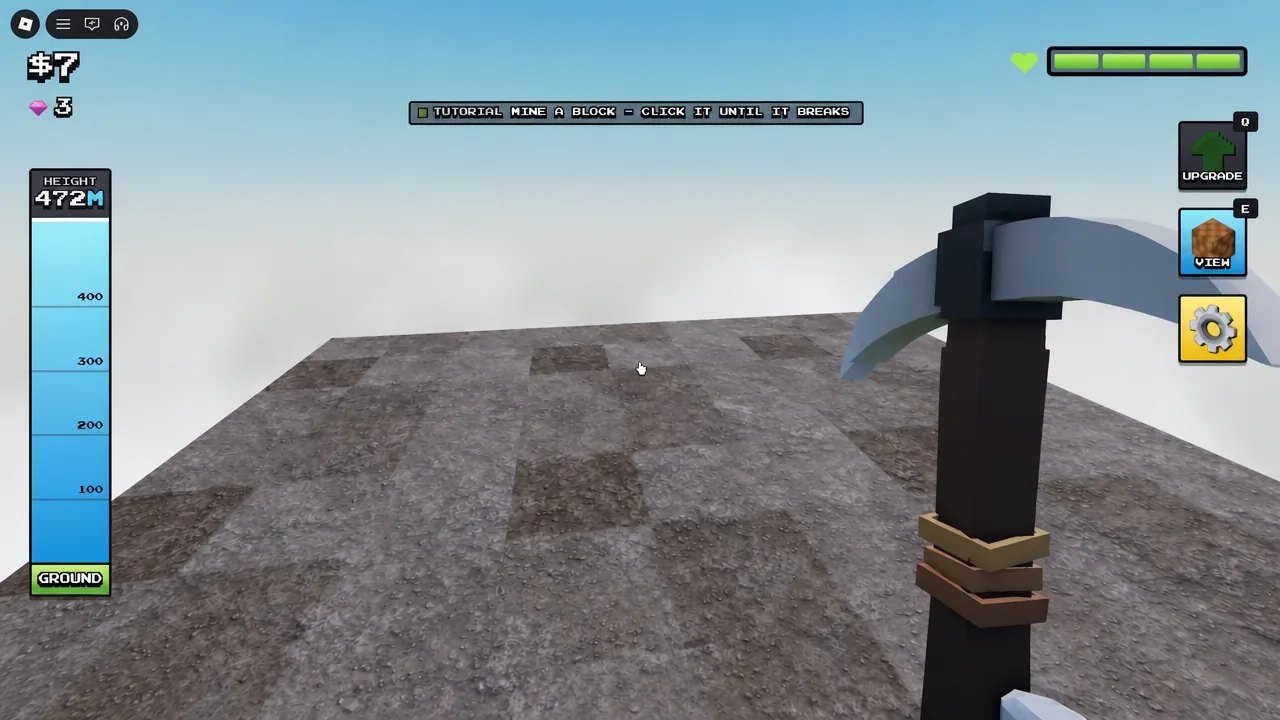
Clean controls are the quiet advantage in Flatten The Mountain. DomBlox Games’ Roblox incremental does not ask you to memorize a dozen combos — it asks you to move, swing, aim the camera, and leave painted danger zones without hesitation. This page expands the Tools Hub into a platform-by-platform reference for PC, mobile, and console miners who want fewer wasted swings across ~89 layers.
PC controls
Roblox desktop defaults still carry the session:
| Action | Typical input |
|---|---|
| Move | WASD |
| Jump | Space |
| Sprint | Shift when the experience enables it |
| Look / camera | Mouse movement |
| Mine / swing pickaxe | Left click (hold for continuous swings when Auto Mine is off) |
| Open menus / shop | On-screen buttons; click HUD elements |
Tips for PC clears:
- Keep the cursor free enough to flick toward Diamond (+$320) and Ruby (+$160) veins without spinning the whole character.
- Bind or muscle-memory a quick camera recenter habit if your client offers one — eagle and Moon sky paints are easier to read from a stable horizon.
- Do not open the full shop UI during 2X Money or Mining Speed x1.5; click only what you must, then return to the mountain.
- When EAGLE INCOMING! appears, strafe with A/D (or equivalent) out of the red zone before finishing a dig animation.
If a custom keybind panel exists in your build, prioritize jump, camera, and primary action on keys your left hand already owns. Deep strategy still lives in Getting Started and the Mining Loop.
Mobile controls
Touch sessions succeed when frames stay stable and thumbs stay out of the camera pad during emergencies.
- Left virtual stick — movement; practice short lateral bursts for eagle exits.
- Right look pad / drag — camera; raise sensitivity slightly so ore colors and zone edges read at distance.
- Primary tap / hold — swing. Enable legal Auto Mine (~$200) ASAP so you are not spam-tapping every block (upgrade priority).
- Jump button — use for repositioning onto chest ledges, not for panic hopping inside red paint.
Mobile-specific advice:
- Lower graphics if heat throttling makes zone exits late.
- Avoid covering the warning text with your thumb when the sky threat triggers.
- Play Solo while learning; Duo / Trio / Squad (1–4) callouts are harder to type mid-dive on a phone.
- Public servers up to 20 add UI clutter — consider quieter sessions for PB attempts.
Console / gamepad controls
Gamepad layouts follow standard Roblox mapping with experience-specific action binds:
- Left stick move, right stick look.
- Face button / trigger for primary mine depending on platform defaults.
- Shoulder buttons often handle jump or sprint — confirm in your on-screen prompts the first minute of a session.
Console habits that matter:
- Raise look sensitivity until Sapphire versus Emerald veins are readable without walking into them.
- Keep the camera slightly elevated so Moon sky patrols and classic eagle paints appear early (Moon Map, Eagle Survival).
- Map your mental “leave zone now” reflex to a pure stick strafe — do not wait on a menu click.
- Use party chat or a quick d-pad ping system with Squadmates so one player can call sky threats without opening the full keyboard.
Camera rules that save minutes
Bad cameras cause more deaths-to-greed than weak pickaxes.
- High enough to see red-zone edges and ore colors.
- Stable enough that Mining Speed windows do not become motion blur.
- Free enough that buried chests on flanks are not invisible behind your character model (Gems and Chests).
- Disable excessive shake via fair settings when available; readability beats cinematic flair on deep layers.
Mining input discipline
Whether you click, tap, or hold a trigger:
- Face value ores first — Diamond, Ruby, Emerald, then Gold/Sapphire; Coal is filler.
- Let drones and turrets delete leftovers while you steer.
- Interrupt swings the instant a sky warning paints your tile.
- After the dive, confirm helpers resumed before you tunnel elsewhere.
- On Moon runs, assume the new sky enemy is stricter than the earth eagle — same leave-zone input, less hesitation (Moon update).
Eagle and Moon threat inputs
Shared dodge script for every platform:
- Hear or read the warning.
- Stop committing to a long dig inside the paint.
- Strafe laterally off the zone — sideways along the layer usually beats blind jumps into voids.
- Keep camera tracking the edge so you know when it is safe.
- Resume mining or chest work only after the attack resolves.
- In parties, one voice says “leave red” so three other players do not debate (Players Hub).
Scripts that advertise Anti Eagle Knockback do not replace this drill and always carry ban risk (Scripts Hub).
Pre-run controls checklist
- Confirm platform sensitivity feels right in the first thirty seconds.
- Confirm Auto Mine toggle state if you already purchased it.
- Confirm you can open lobby shops without covering the whole HUD permanently.
- Remind yourself where jump and strafe live on this device.
- Skim Clear All Layers pacing only after inputs feel automatic.
- Ignore fake codes; redemption UI notes live on How to Redeem Codes when real strings appear.
Related pages
- Parent: Tools Hub
- Beginners: Getting Started
- Hazards: Eagle Survival
- Endgame map: Moon Map
- Loadout: Pickaxes, Storm Hammer
- Facts: Wiki overview
Master the boring inputs and DomBlox’s mountain — earth or Moon — stops stealing time through fumbled exits. Flatten The Mountain rewards the player who can strafe out of paint without thinking, then immediately return to Diamond and chests.
Frequently Asked Questions
Quick answers for Flat the Mountain players.
What is the default PC mining button?
Left click swings your pickaxe. Buy Auto Mine around $200 so you are not click-locked for entire layers.
How do I dodge the eagle on mobile?
When the warning hits, use the move stick to strafe sideways out of the red zone, then resume mining.
Should I raise camera sensitivity?
Slightly, yes, until ore colors and zone edges are readable at range without wild over-flicks.
Do console players need different strategy?
Strategy is the same. Focus on stick strafes for sky threats and a slightly elevated camera for Moon and eagle paints.
Where are advanced tips beyond controls?
Use the Guides Hub for full walkthroughs. This page stays focused on inputs and camera habits.
Did the Moon update change controls?
Core Roblox inputs stay the same. The new sky threat simply demands cleaner, faster leave-zone reactions.