Flat the Mountain Controls & Tips
Practical inputs and habits that shave minutes off every mountain run.
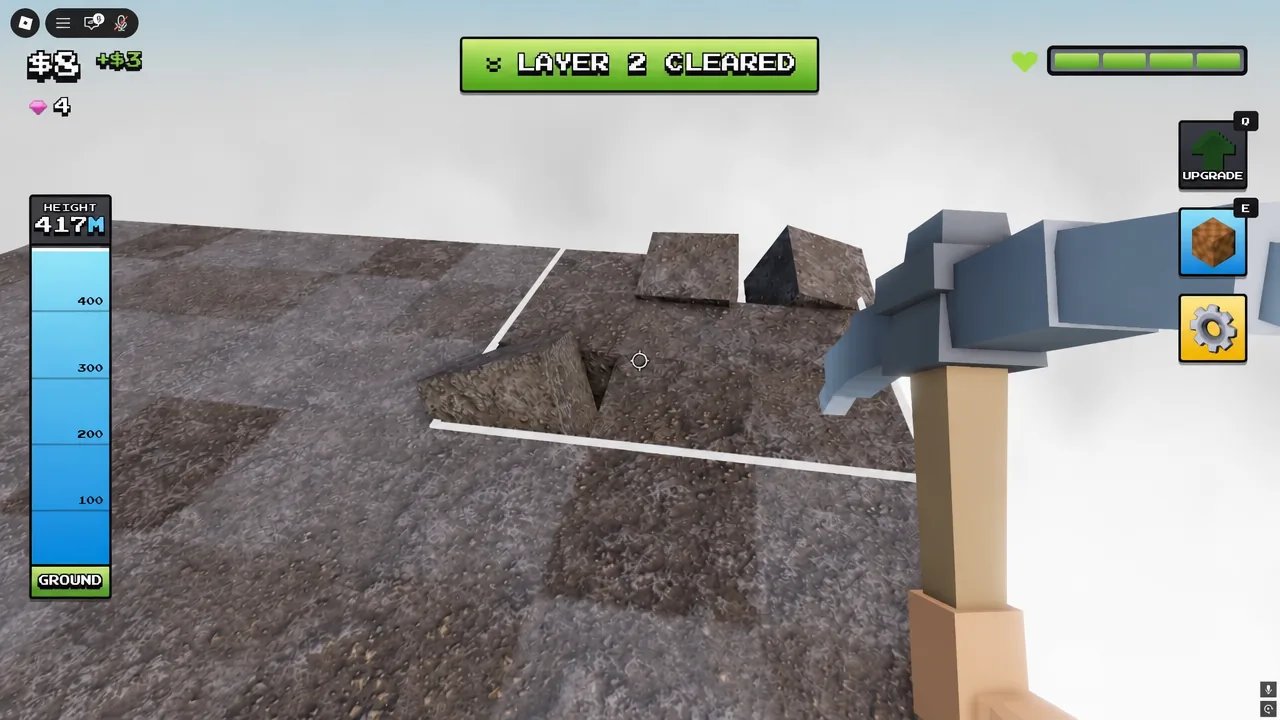
The Tools Hub collects controls knowledge and bite-sized tips for Flatten The Mountain on Roblox. DomBlox Games’ incremental does not need a dozen minigames — it needs clean movement, smart camera work, and disciplined reactions when the eagle dives. Use this page as a quick reference beside the deeper Guides Hub, and open the full platform breakdown on Controls for PC, mobile, and console specifics.
Child page
- Controls — PC / mobile / console inputs, camera rules, mining discipline, and eagle / Moon sky dodge inputs.
Default controls mindset
Roblox PC defaults still apply: WASD move, Space jump, Shift sprint when enabled, mouse look, and left-click / tap to swing your pickaxe. On gamepad or touch, map the primary action to continuous mining and keep the camera free enough to spot ore colors and the eagle’s red zone. If a custom keybind menu exists in your build, bind jump and camera recenter where your thumb already rests — you will dodge more eagles that way.
Mobile miners should enable any available auto-rotate or higher graphics only if heat and battery allow; dropped frames make red-zone exits late. Console players benefit from raising camera sensitivity slightly so sapphire versus emerald veins are readable at distance. After THE MOON IS OPEN, the same inputs must react faster to the harder Moon sky threat (Moon Map).
Mining efficiency tips
- Face high-value ores first — Diamond (+$320), Ruby (+$160), Emerald (+$80), then Gold/Sapphire (+$40). Coal is filler when nothing better is adjacent. Details in the Mining Loop guide.
- Buy automation early — Damage I ($1), Drone I ($5), Turret I (
$23), then Auto Mine ($200). The upgrade tier list explains why. - Never ignore power-ups — 2X Money and Mining Speed x1.5 are temporary multipliers; path into them even if it costs a few blocks of detour.
- Chest breaks beat vanity swings — gems fund pickaxes. Schedule digs using Gems and Chests.
- Upgrade pickaxes on gem breakpoints — Stone → Golden → Darkite → Amethyst → Miner’s Dream → Glitch → Nature → Angel → Lava → Storm Hammer. Full context on Pickaxes and the pickaxe tier list.
Eagle reaction drill
When the warning EAGLE INCOMING! hits and a red zone paints the mountain:
- Stop channeling a long dig if you are inside the circle.
- Strafe laterally off the painted area — do not try to “tank” for profit; the eagle cannot be farmed.
- Resume mining only after the dive resolves.
- In Duo/Trio/Squad (1–4), assign one voice to call the zone so others keep drones productive.
Deeper tactics live in Eagle Survival. Script users sometimes enable Anti Eagle Knockback via SoftKillz — that is optional risk covered on the Scripts Hub.
Session settings worth checking
- Graphics — lower enough to keep a stable framerate on deep layers; rubber-banding wastes swing timing.
- Volume — keep enough SFX to hear dive cues if your build telegraphs audibly.
- Party mode — Solo for practice, Squad for role splits; servers hold up to 20 so public lobbies can be noisy.
- Screen shake — if a setting or script disables shake, readability of ore edges often improves (fair settings first).
Quality checklist before a timed clear
- Confirm lobby pickaxe is the best you can afford (Storm Hammer when gem bank ~396).
- Confirm drones/turrets are purchased and placed where they hit active layers.
- Remind the Squad who is chest diver versus eagle spotter (Players Hub).
- Skim Clear All Layers pacing (~51 min first clear, ~33 min Storm Hammer runs).
- Ignore fake code lists; Codes remain empty of confirmed promos as of November 2026.
Related references
Official place facts and creator credits sit on the Wiki overview and Links. Patch timing is summarized on the Updates Hub and Moon update notes. Detailed platform inputs live on Controls. When DomBlox remaps UI buttons after a ship, return here and adjust the control notes — the mountain loop stays the same even if the Codes gear moves.
Treat this Tools Hub as your warm-up card: thirty seconds of control and tip review before each run prevents the classic mistakes of mining coal during 2X Money or standing in the eagle circle while a diamond vein waits two meters away.
Frequently Asked Questions
Quick answers for Flat the Mountain players.
What keys do I use to mine?
Use standard Roblox move keys and the primary click/tap to swing. See the Controls child page for PC, mobile, and console details.
How do I react to the eagle quickly?
On EAGLE INCOMING!, leave the red zone immediately with a lateral strafe. You cannot kill it for cash.
Which tips save the most time?
Prioritize diamond/ruby ores, buy drones/turrets/Auto Mine early, and spend gems on pickaxe upgrades instead of idle cash.
Should I play on mobile?
Yes if your device holds a stable framerate. Lower graphics so you can still see ore colors and the eagle zone.
Where are advanced strategies?
Use the Guides Hub for full write-ups and the Tier List Hub for spend order. This hub stays focused on controls and quick tips.